
Features
Everything your operation runs on, in one workspace.
Each FlowOps module shares the same clients, projects and numbers — so delivery, commercial and financial information never drift apart.
Core modules
Everything connected. Nothing lost between tools.
FlowOps is one operational workspace — every module shares the same clients, projects and numbers.
Projects
Plan, manage and track work from start to finish.
Tasks
Know exactly what needs to happen and who owns it.
Clients
Keep contacts, projects, files and financial information connected.
CRM
Move opportunities from first contact to active project.
Finance
Understand revenue, expenses, budgets and profitability.
Reports
Turn operational data into clear business insight.
Calendar
Keep deadlines, meetings and project activity aligned.
Files
Keep important project and client files where the work happens.
Project management
Keep every project moving.
From first task to final delivery, FlowOps keeps your team aligned around the same project information.
- Project overview
- Kanban
- Tasks
- Assignees
- Deadlines
- Timeline
- Calendar
- Files
- Project members
- Project financials
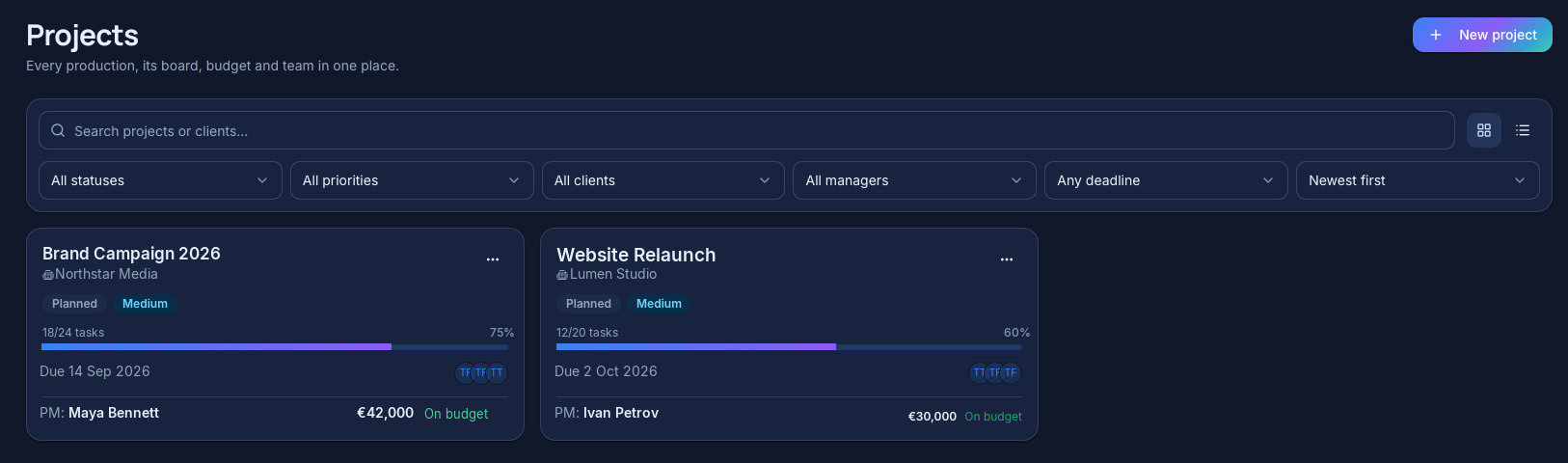
UI demonstration content — not real customer data.
Tasks & actions
Know what needs your attention.
FlowOps separates the work you own from the decisions waiting on you.
My Tasks
Work assigned to the user.
- Edit v2 — Brand film
- Prepare estimate — Acme
- Review copy
My Actions
Important operational items requiring attention or a decision.
- Budget at 84% — Rebrand
- Feasibility response needed
- Invoice outstanding — 12 days
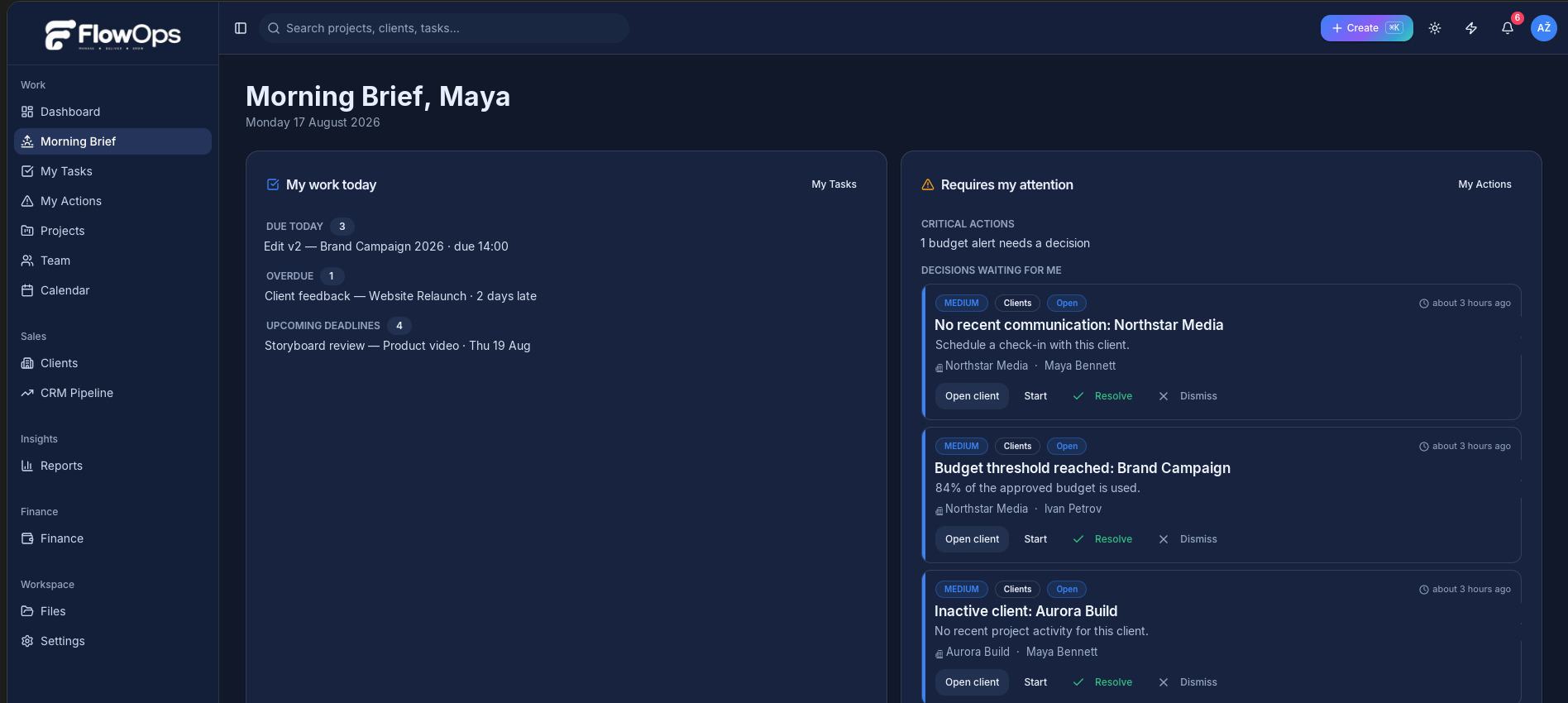
UI demonstration content — not real customer data.
Client management
One complete view of every client.
Client information is connected throughout FlowOps rather than duplicated across modules.
- Client information
- Contact persons
- Job titles
- Phone numbers
- Projects
- CRM opportunities
- Files
- Activity
- Financial information
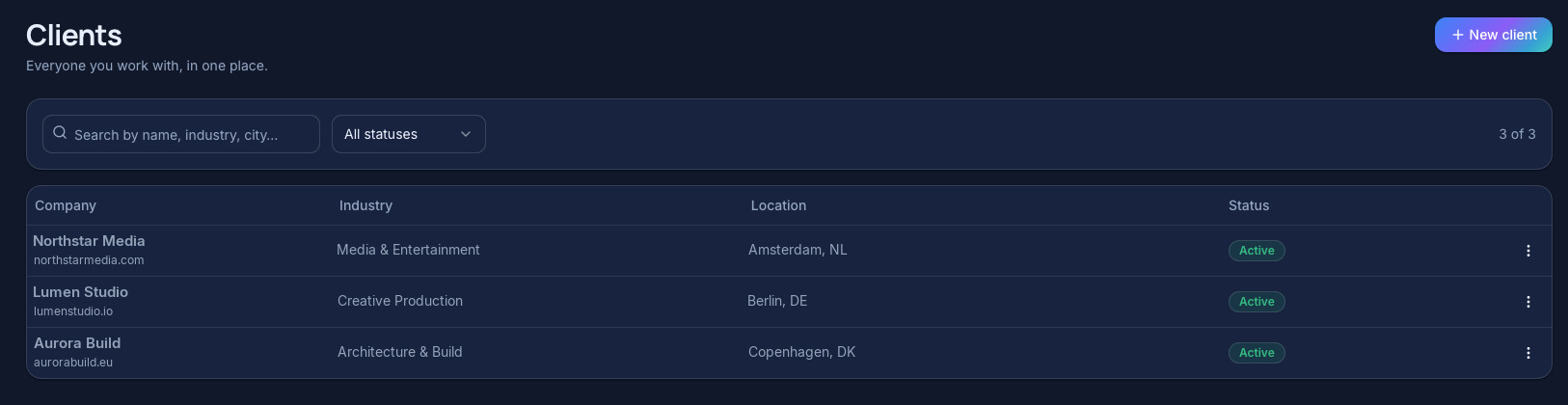
UI demonstration content — not real customer data.
CRM
Turn opportunities into work.
When an opportunity becomes real work, FlowOps keeps the commercial and delivery sides connected.
- Opportunities
- Client
- Contact person
- Deal value
- Owner
- Next action
- Pipeline stage
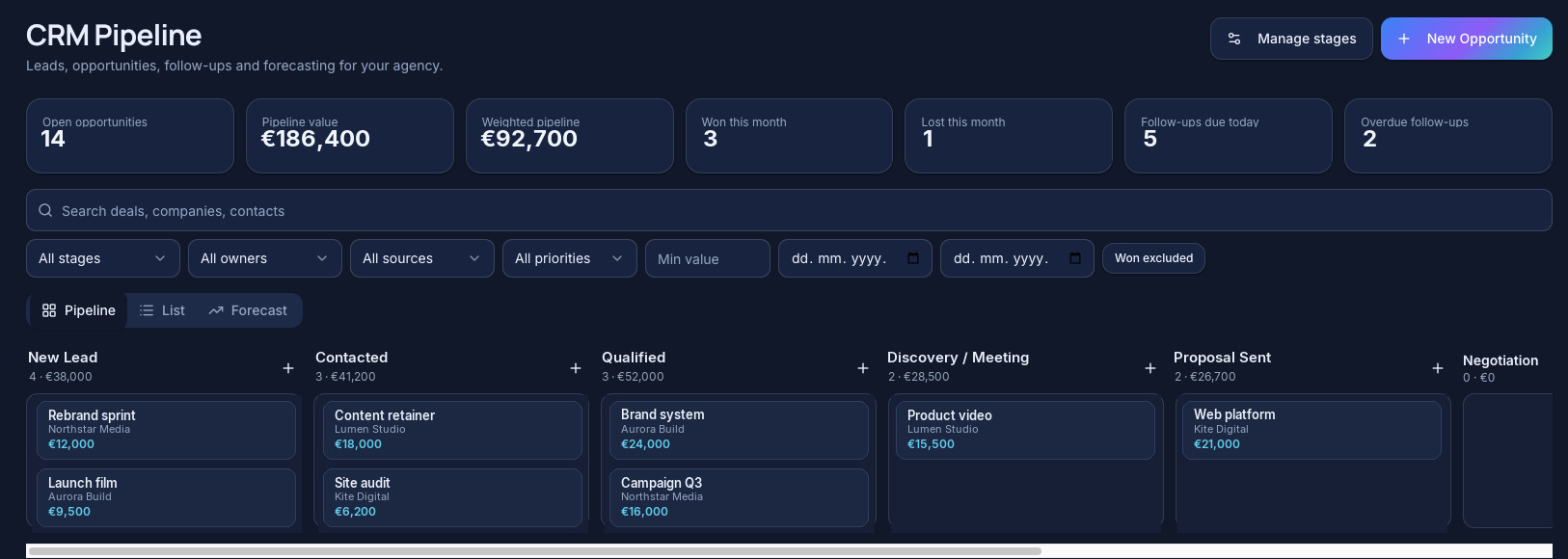
UI demonstration content — not real customer data.
Finance
See what your work actually makes.
FlowOps connects operational delivery with financial performance, so revenue, cost and margin live next to the work that created them.
- Company financial overview
- Finance by Client
- Finance by Project
- Revenue
- Expenses
- Invoices
- Payments
- Outstanding balances
- Tax-enabled or tax-excluded amounts
- Project budgets
- Planned vs Actual
- Cost variance
- Profit
- Profit margin
FlowOps provides operational financial management and reporting. It is not tax filing or accounting software and does not replace professional accounting.
Revenue
€48,200
Expenses
€29,400
Profit
€18,800
Margin
39%
| Project | Revenue | Expenses | Margin |
|---|---|---|---|
| Brand film | €18,000 | 39% | |
| Website relaunch | €16,400 | 40% | |
| Campaign retainer | €13,800 | 37% |
UI demonstration content — not real customer data.
Planned vs Actual
Know you're going over budget before it's too late.
FlowOps compares planned costs with real spend as work happens and surfaces budget warnings before a project becomes unprofitable.
Planned costs
€10,000
Actual costs
€8,400
Budget used
84%
Remaining
€1,600
Status: Warning
84% of budget consumed with delivery still in progress.
Category comparison
UI demonstration content — not real customer data.
Finance by client
Know which clients are actually profitable.
Management can view financial performance for the whole company, individual clients and individual projects.
| Client | Revenue | Expenses | Profit | Margin | Projects |
|---|---|---|---|---|---|
| Acme | €35,000 | €21,000 | €14,000 | 40% | 6 |
| Northwind | €22,400 | €15,900 | €6,500 | 29% | 4 |
| Lumen Studio | €12,800 | €7,300 | €5,500 | 43% | 2 |
UI demonstration content — not real customer data.
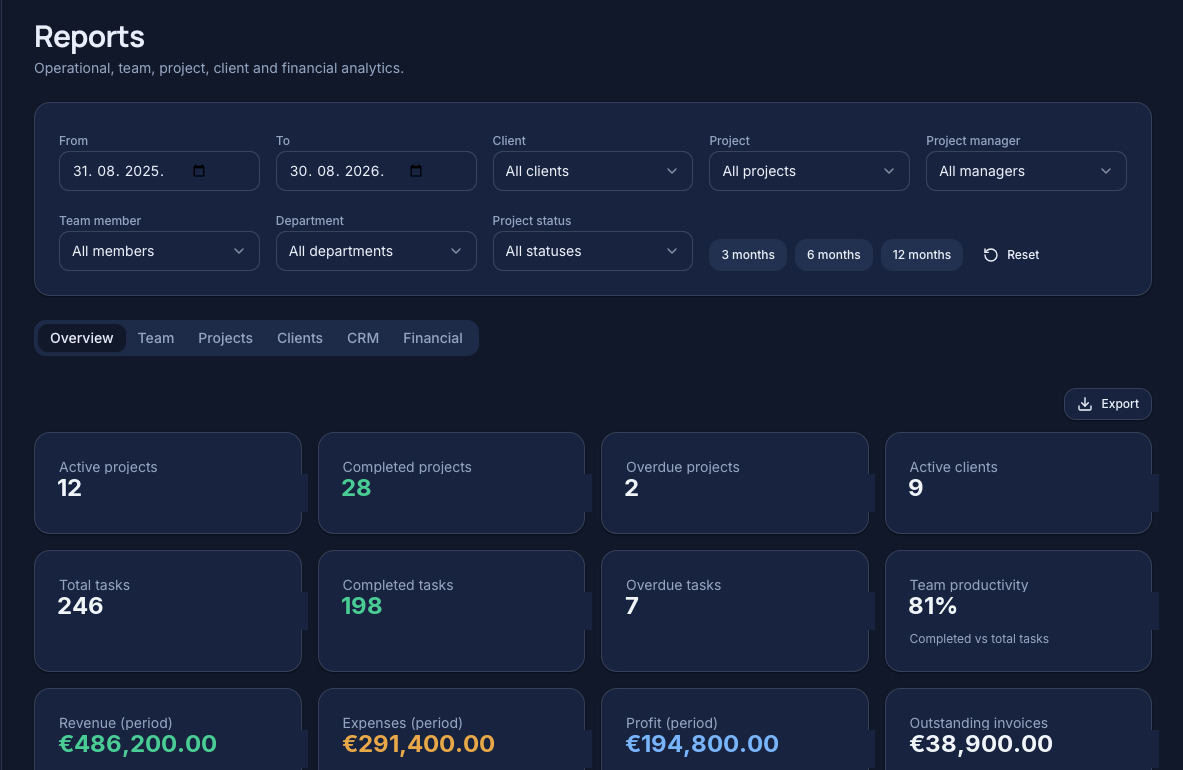
Reporting
Decisions backed by real operational data.
Reports are generated from the same clients, projects and finance records your team works in every day.
- Company reports
- Client profitability
- Project profitability
- Planned vs Actual
- Revenue
- Expenses
- Outstanding balances
- Team activity
UI demonstration content — not real customer data.
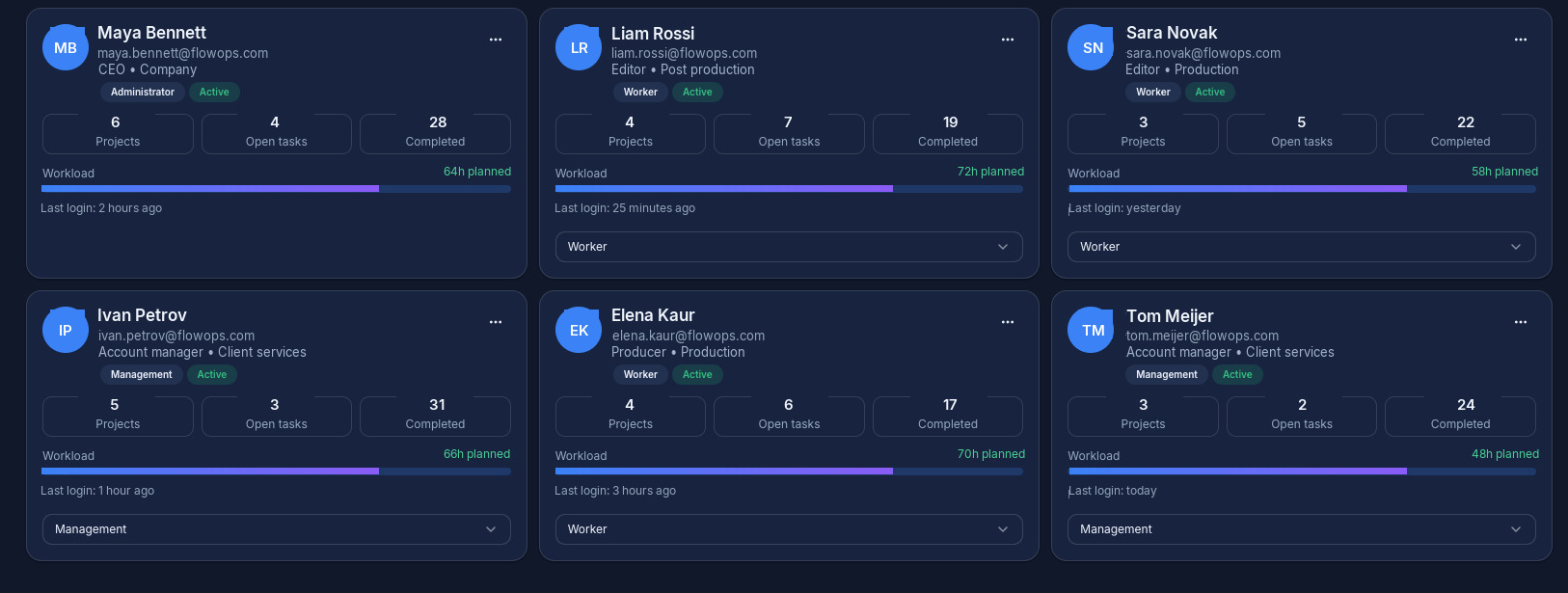
Team & permissions
Everyone sees what they need.
Sensitive information such as Finance can be restricted to the right roles.
Administrator
Full workspace access including management, finance and settings.
Management
Operational and management access according to permissions.
Team Members
Focused access to relevant tasks, timelines and project work.
UI demonstration content — not real customer data.
Connected workflow
One flow from opportunity to profit.
Every stage feeds the next — no re-entry, no lost context, no separate spreadsheet.
Opportunity
Client
Project
Tasks
Expenses & Revenue
Reports
Ready to run your operation differently?
Bring your clients, projects, team and finances together with FlowOps.
14-day free trial · No permanent free plan · Cancel anytime. Already have an account? Sign In